
How to Organize Cables and Chargers Neatly: Practical Tips for a Tidy Space
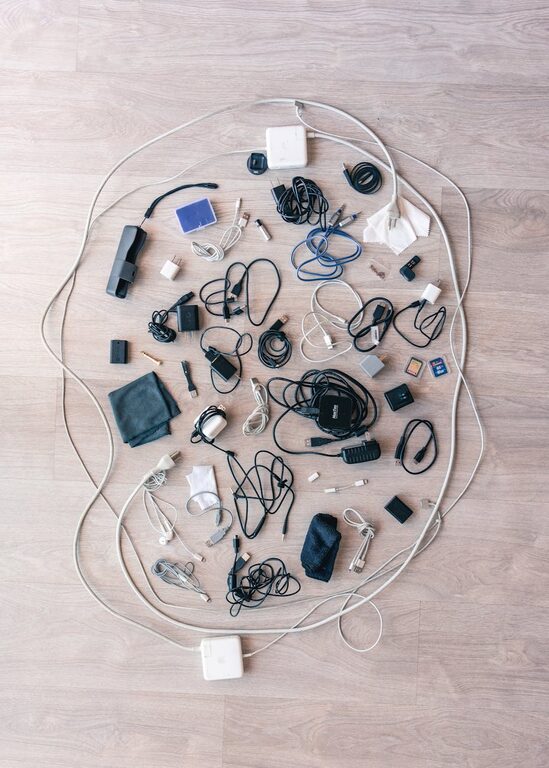
Keeping cables and chargers organized can be a challenge, especially if you have multiple devices and gadgets in your home or office. Tangled cords not only look messy but can also make it difficult to find the right cable when you need it. Fortunately, with a few simple strategies and tools, you can create a tidy, effortless system to keep your cables under control. In this post, we’ll explore practical tips to organize cables and chargers neatly, helping you maintain a clutter-free space.
Why Organize Cables and Chargers?
Before diving into the methods, it’s important to understand why cable organization matters:
– Saves Time: No more hunting for the right charger or untangling cords.
– Prevents Damage: Proper organization reduces wear and tear on cables.
– Improves Aesthetics: A neat setup looks pleasing and creates a more productive environment.
– Ensures Safety: Reduces the risk of tripping or electrical hazards.
Assess Your Current Cable Situation
Start by taking stock of the cables and chargers you have. This step helps you decide which ones to keep, donate, or recycle.
– Gather all cables and chargers in one place.
– Identify duplicates and cables no longer in use.
– Test cables to ensure they’re functional before organizing.
– Consider labeling cables by device for easy identification.
Simple Tools and Supplies for Cable Organization
Having the right supplies can make the process smoother. Here’s a list of helpful tools:
– Cable ties or Velcro straps: Reusable and adjustable to bundle cables.
– Cable clips or holders: Stick to surfaces to keep cables in place.
– Cord sleeves or tubes: Hide and group multiple cables together.
– Label tags or tape: Mark cables for quick recognition.
– Cable boxes: Store power strips and excess cables out of sight.
– Drawer organizers: Keep cables in separate compartments.
– Hooks or pegboards: Hang cables to avoid tangling.
Step-by-Step Guide to Organizing Your Cables
1. Untangle and Clean
Begin by untangling all cables and gently wiping them clean. This makes them easier to handle and gives you a fresh start.
2. Group by Type or Usage
Sort cables into categories such as:
– Charging cables (phone, tablet, laptop)
– Audio/video cables (headphones, HDMI)
– Power cords
– USB cables
– Rarely used cables
Grouping helps in storing and locating cables later.
3. Coil or Wrap Cables Properly
Wrapping cables properly prevents damage and tangling. Use these gentle techniques:
– Over-under method: This winding pattern reduces tension and preserves cable life.
– Figure-eight wrap: Especially good for longer cables.
Secure the coil with a Velcro strap or reusable tie.
4. Label Each Cable
Labeling saves time when searching for a specific cable. You can use:
– Pre-made cable labels
– Masking tape and a marker
– Printable labels
Include details like device name and cable type.
5. Choose the Right Storage Method
Depending on your space and needs, choose one or more of the following:
– Storage boxes with compartments: Ideal for multiple cables and chargers. Use small containers or dividers to separate categories.
– Drawer organizers: Perfect for desks and offices for easy access.
– Cable management sleeves: Bundle cords running alongside each other for a streamlined look.
– Mounted cable clips: Keep cables attached to desks or walls, preventing them from dangling.
6. Organize Charging Stations
For everyday charging, consider creating a charging station:
– Use a multi-port USB charger to reduce the number of outlets needed.
– Label charging spots for each family member’s device.
– Keep the charger base and cords in a neat box or on a designated shelf.
7. Maintain Your System Regularly
Cable organization is not a one-time task. Schedule quick check-ins monthly or quarterly to:
– Remove cables no longer in use.
– Reorganize any cables that have gotten messy.
– Update labels if devices change.
Additional Tips for Cable Management
– Use color-coded cables or ties to differentiate cables easily.
– Avoid over-bending cables as it can damage internal wires.
– Keep frequently used cables accessible, storing others away.
– Consider wireless alternatives where possible to reduce cable clutter.
– Secure long cables with twist ties or clips to prevent tripping.
Conclusion
Organizing cables and chargers neatly doesn’t have to be complicated or expensive. By assessing your current collection, using the right tools, and following consistent storage habits, you can maintain a clean and efficient space. A little effort in organizing your cables goes a long way in saving time, protecting your devices, and creating a pleasant environment. Start today and enjoy the benefits of a clutter-free, well-managed setup!